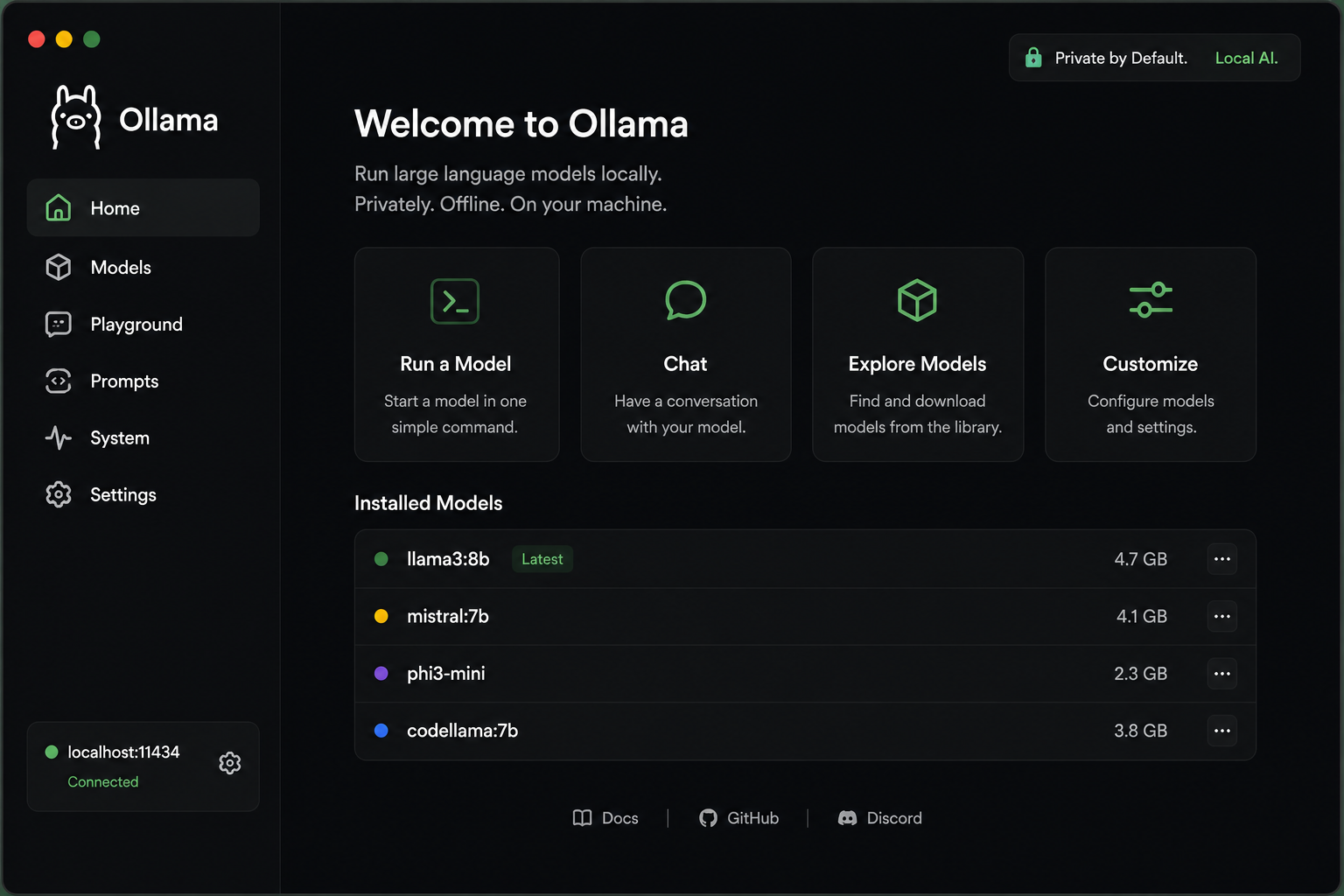
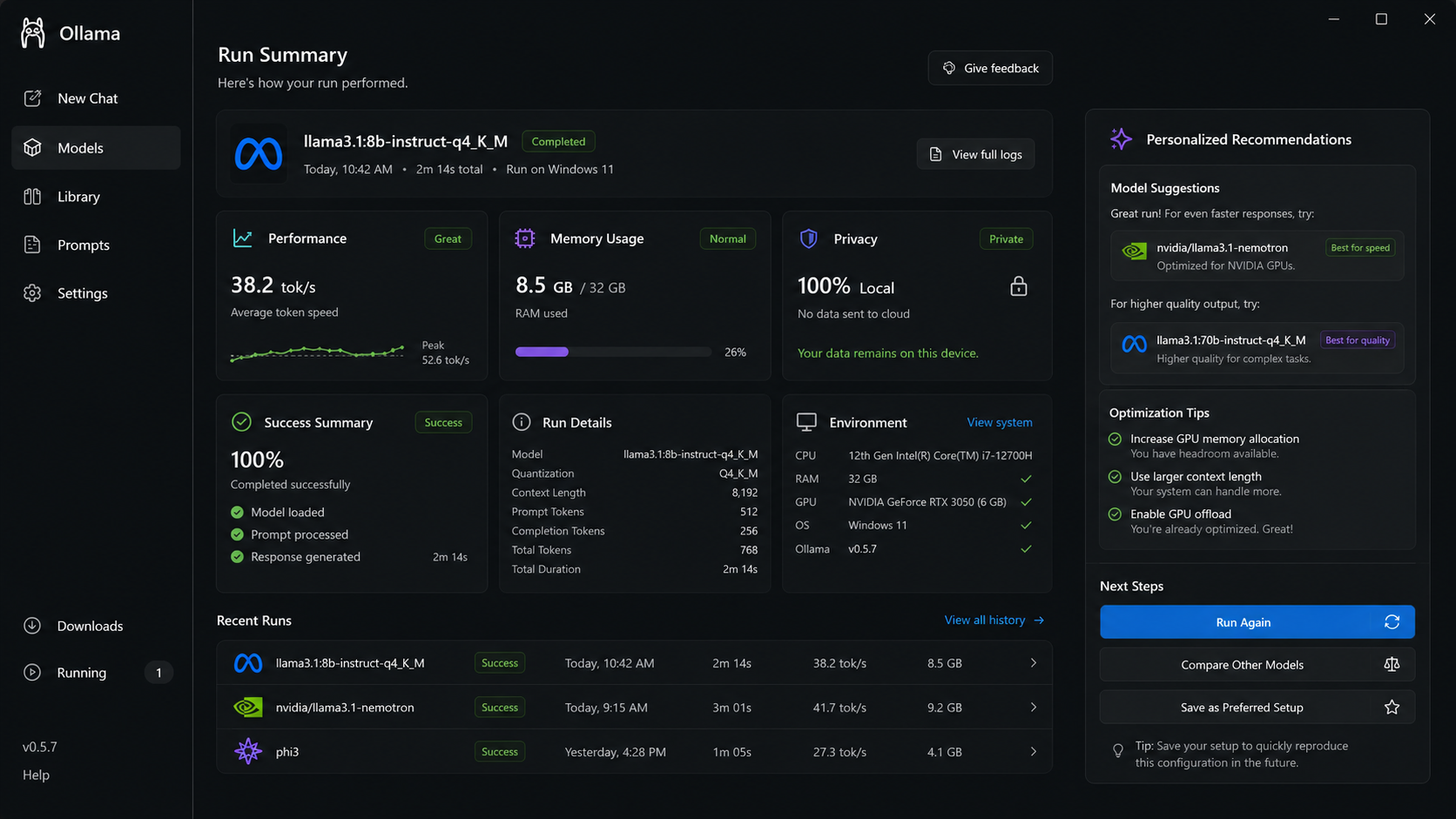
Ollama helps developers, researchers, and technical teams run open large language models directly on their own computers through a simple command-line and API workflow.
Developer Tools · Local AI · Open Source LLM Infrastructure
Product Stage
Mature local-first AI product used by developers, researchers, and technical teams to run models on personal machines.
Business Context
Ollama makes private local AI accessible, but users still need guidance choosing the right model and execution path across local, optimized, and assisted workflows.
The Vision
Product Users
Our users are technically advanced and experienced, working inside local AI, data, security, and product-building workflows where privacy matters, but model fit, hardware limits, and runtime confidence matter more.
Aarav Mehta
AI Application Developer
Profession: AI Application Developer
Occupation: Builds internal copilots, document assistants, and local AI workflows.
Experience: 4 years in software, including 1.5 years building with LLM apps and local model tooling.
Work Context: Works with private code, confidential documents, and internal business knowledge that cannot freely leave the device.
Behavior: Experiments quickly, but pauses when model size, setup requirements, or runtime mode are unclear.
Goal: Build reliable AI apps while keeping confidential data private.
Pain Point: Needs model-fit clarity before downloading, running, or integrating a model.
Neha Kapoor
Data Scientist
Profession: Data Scientist
Occupation: Analyzes internal datasets, builds prototypes, and tests local AI workflows.
Experience: 6 years in analytics, experimentation, and model-assisted data workflows.
Work Context: Uses local AI to explore internal datasets without sending sensitive information to external services.
Behavior: Tries models independently, but loses time when runs fail because device limits were unclear.
Goal: Test AI workflows locally without debugging setup and hardware constraints.
Pain Point: Needs to know whether a model will run smoothly before losing time to failed runs.
Rohan Iyer
Enterprise Security Engineer
Profession: Enterprise Security Engineer
Occupation: Evaluates AI tools for internal use, privacy, security controls, and compliance.
Experience: 8 years in cybersecurity, governance, and secure AI adoption review.
Work Context: Reviews whether AI workflows are safe for teams handling sensitive company data.
Behavior: Supports local AI adoption, but needs explicit privacy boundaries and execution visibility.
Goal: Enable AI usage while keeping confidential data inside approved environments.
Pain Point: Needs visibility into whether workflows are truly local and whether data leaves the device.
Maya Shah
Startup Founder / Technical PM
Profession: Startup Founder / Technical PM
Occupation: Builds AI-first product prototypes and compares local versus cloud model options.
Experience: 5 years in product, startups, and technical experimentation with AI products.
Work Context: Balances speed, privacy, quality, and feasibility while validating new AI product ideas.
Behavior: Moves quickly across prototypes, but needs a practical path instead of trial-and-error runtime decisions.
Goal: Choose the right execution path for each product workflow without slowing experimentation.
Pain Point: Needs a practical path for choosing local, optimized, or assisted execution.
Finalized User Persona
Aarav Mehta is the primary persona.
Aarav sits at the intersection of local AI experimentation, confidential data handling, and model-performance trade-offs. He is technical enough to use Ollama actively, but still faces uncertainty when deciding which model to run and whether his device can handle it.
Frequent local AI usage
He regularly uses Ollama for internal assistants, prototypes, document workflows, and private app experiments.
Owns the runtime decision
He decides whether to run locally, optimize, switch model, or use an assisted path.
Privacy-sensitive work
His workflows often involve private code, documents, and business logic.
Hardware uncertainty
Model size, RAM, speed, and setup requirements create friction before the work starts.
Balances speed with privacy
He wants local control without wasting time on failed runs.
Solving for him scales
Helping Aarav also supports data scientists, security teams, and technical founders.
User Journey
The current Ollama journey starts with strong privacy intent, but confidence drops when the user has to choose a model, understand hardware fit, and decide how to run it successfully.
Start with private AI intent
Action: Aarav wants to run an AI workflow locally for private code or documents.
Thinking: He wants control without sending confidential data elsewhere.
Pain Point: The use case is clear, but the right model and runtime path are not.
Opportunity: Capture use case, privacy needs, and device constraints early.
01
02
Search models
Action: He browses model options and compares names, sizes, and descriptions.
Thinking: Several models look possible, but the tradeoffs are hard to judge.
Pain Point: Model names do not explain hardware fit, speed, or privacy implications.
Opportunity: Translate model options into practical recommendations.
Check hardware fit
Action: He checks memory, model size, and setup requirements manually.
Thinking: He wants to avoid downloading something that will fail or run slowly.
Pain Point: The product does not clearly say which model fits his machine.
Opportunity: Show device-fit confidence before download or run.
03
04
Run and troubleshoot
Action: He downloads, runs, waits, and adjusts when performance is poor.
Thinking: The local promise is strong, but trial-and-error slows momentum.
Pain Point: Failures and slow runs create uncertainty about whether Ollama is the right path.
Opportunity: Recommend optimized local or assisted execution modes.
Choose runtime path
Action: He decides whether to keep running locally, optimize, or use another path.
Thinking: He needs confidence that privacy, quality, and speed are balanced.
Pain Point: The final runtime decision still feels like judgment without enough support.
Opportunity: Turn runtime selection into a guided decision, not trial and error.
05
Understanding the Runtime GapThe model was available. The right way to run it was not obvious.
01
Model choice feels unclear
Users see many model options but do not know which one fits their use case or device.
Creates
Decision fatigue before the workflow starts.
02
Hardware fit is hard to judge
Model size, RAM, VRAM, speed, and setup requirements are not translated into simple guidance.
Creates
Failed runs and wasted setup time.
03
Privacy tradeoffs are invisible
Users choose local AI for privacy, but do not always understand when data stays local.
Creates
Uncertainty around trust and safe usage.
04
Runtime mode is trial-and-error
Users experiment across model sizes and settings to find a usable path.
Creates
A workflow break between intent and output.
05
Confidence arrives too late
The user learns whether the setup works only after downloading, running, and troubleshooting.
Creates
A local AI experience that feels less guided than it should.
Prioritization of Pain Points
Each pain point was scored by user impact, frequency in the workflow, and product leverage. The goal was to identify the friction that matters most at the moment the product decision becomes real.
Pain Point
User Impact
Frequency
Product Leverage
Total
Model choice feels unclearModel options are difficult to map to user goals.
5
5
5
15
Hardware fit is hard to judgeUsers do not know whether the model will run well.
5
5
4
14
Runtime mode is trial-and-errorUsers discover the right path only after failed runs.
4
4
5
13
Privacy tradeoffs are invisibleLocal and assisted paths need clearer trust boundaries.
4
4
4
12
Confidence arrives too lateUsers learn fit after setup instead of before.
4
3
4
11
Prioritized Pain Point
Users hesitate before running local AI because Ollama does not provide enough confidence signals about model fit, hardware readiness, privacy mode, and execution path before setup.
Solution Ideas
Solutions are divided into OK, Best, and Moonshot categories. OK solutions are safe and expected. Best solutions balance feasibility and impact. Moonshot solutions can redefine the product workflow.
01
OK Solutions
1.
Hardware Requirement Labels Show RAM, VRAM, storage, and expected speed for each model.
2.
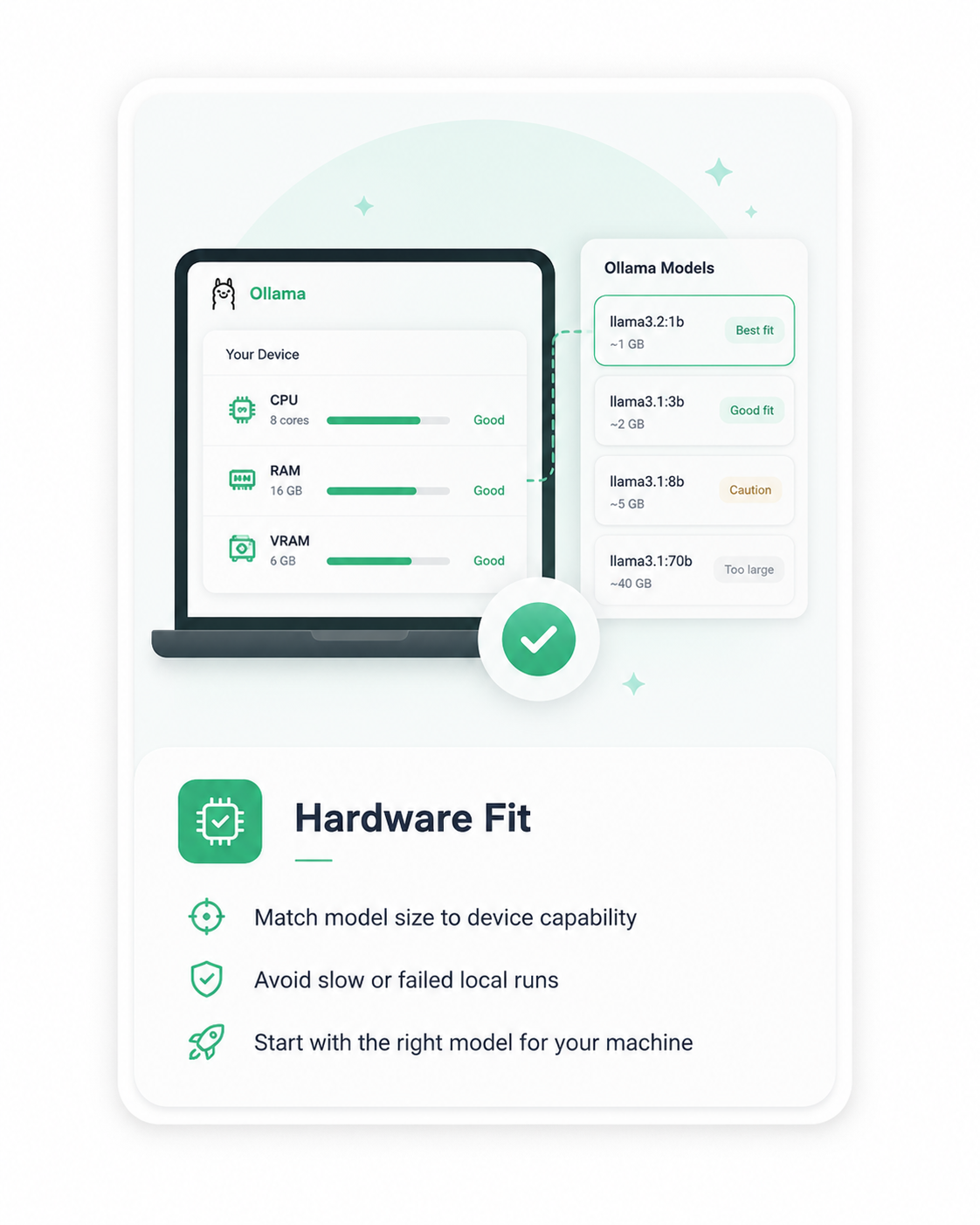
Model Fit Badges Label models as good fit, caution, or too large for the device.
3.
Use-Case Based Model Filters Let users filter models by chat, coding, documents, reasoning, or local privacy.
4.
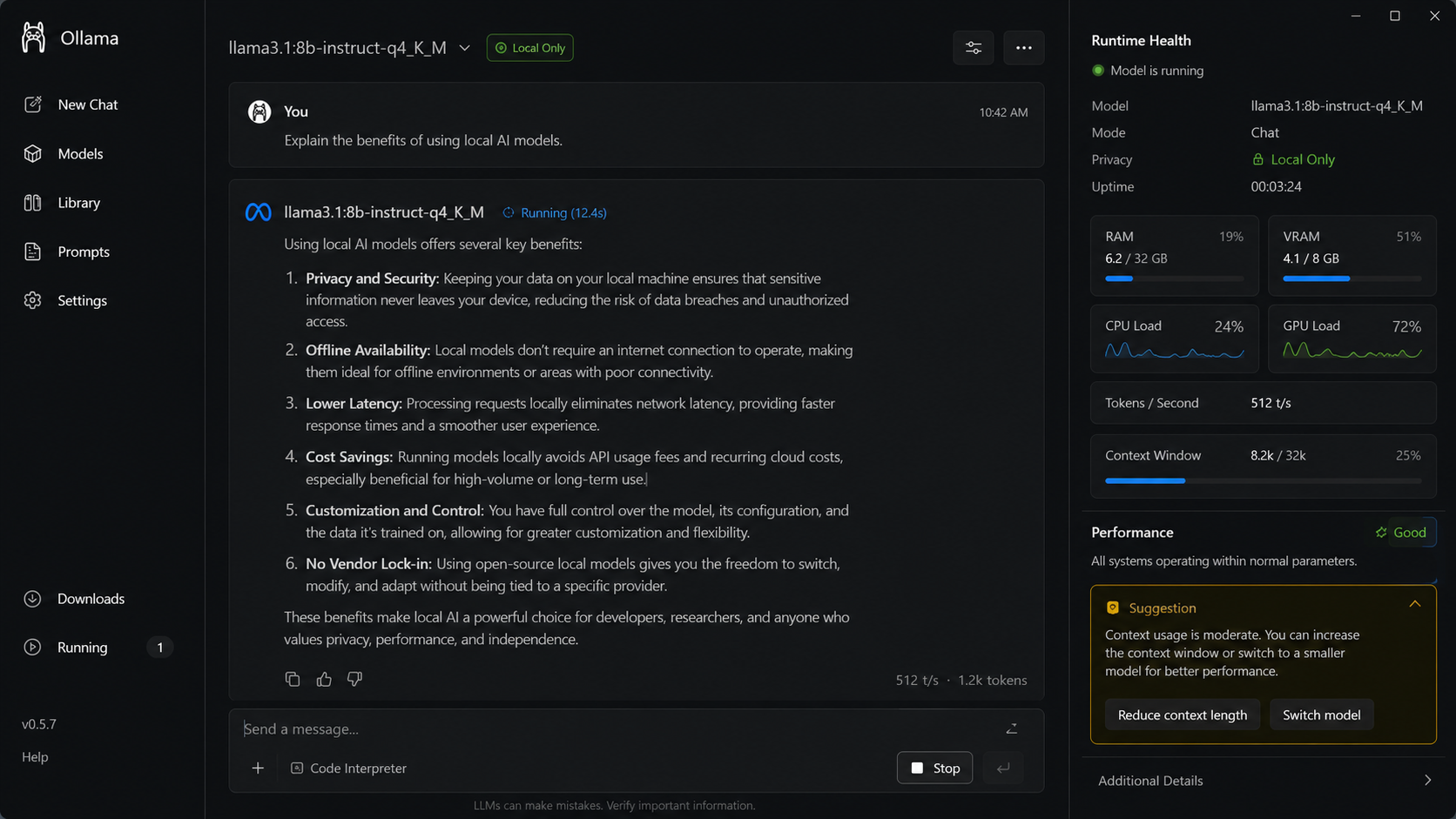
Runtime Health Panel Show local machine readiness and performance hints.
02
Best Solutions
1.
Device Fit Scanner Scan local capability and recommend models that will run smoothly.
2.
Model Recommendation Wizard Ask use case, privacy need, and speed preference before suggesting a model.
3.
Local Performance Estimator Preview expected speed and quality before download.
4.
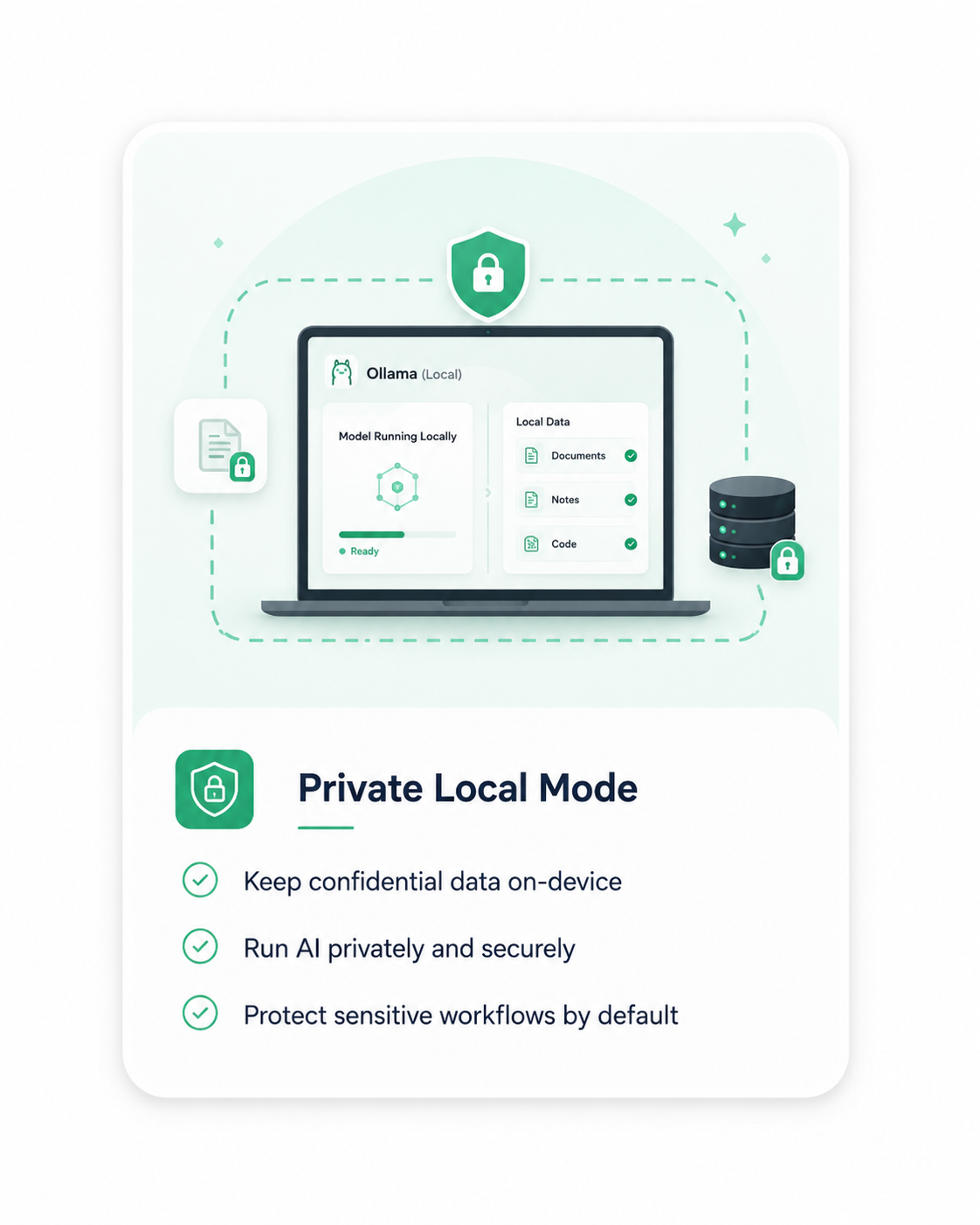
Confidential Mode Make local-only data boundaries explicit inside the product.
03
Moonshot Solutions
1.
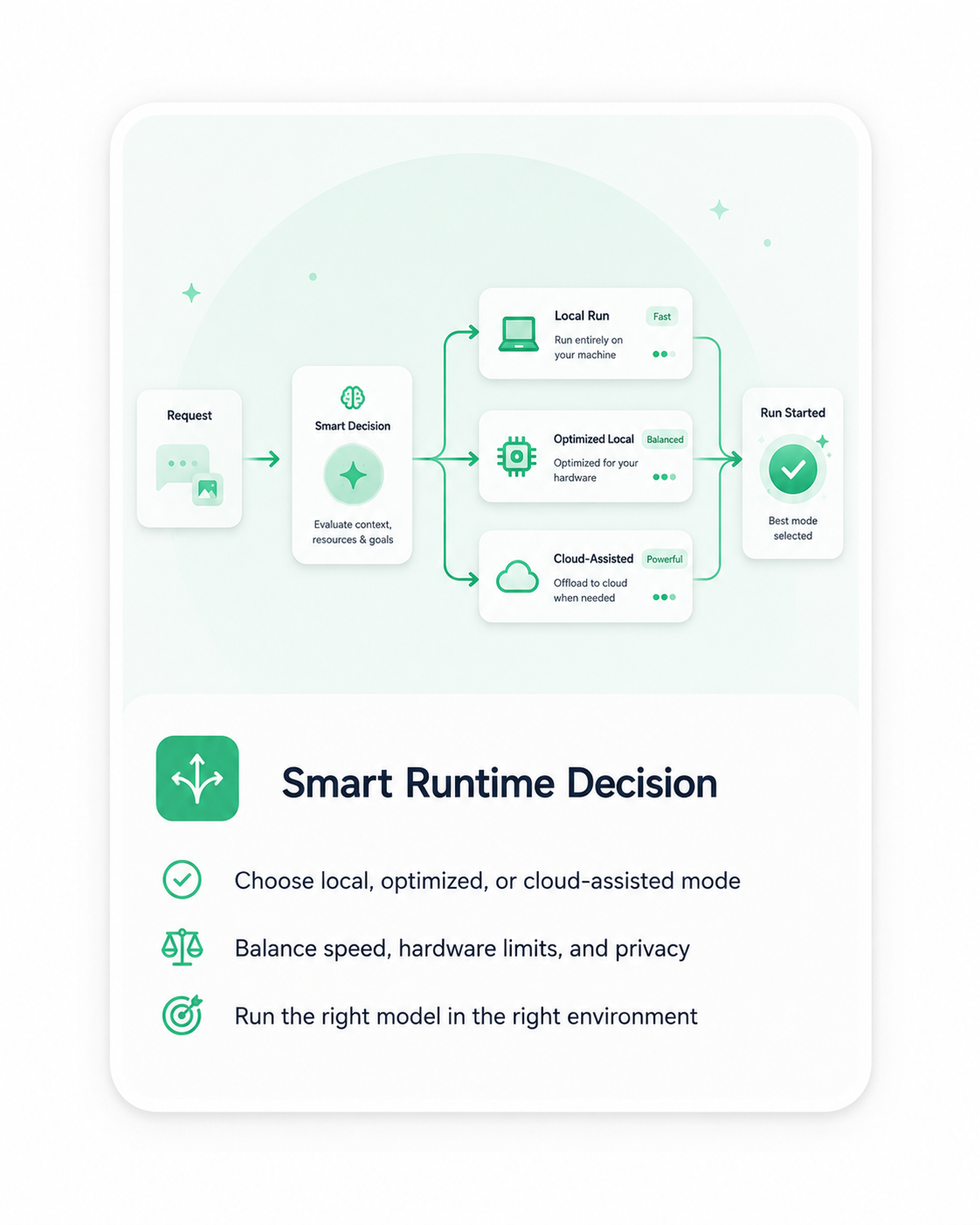
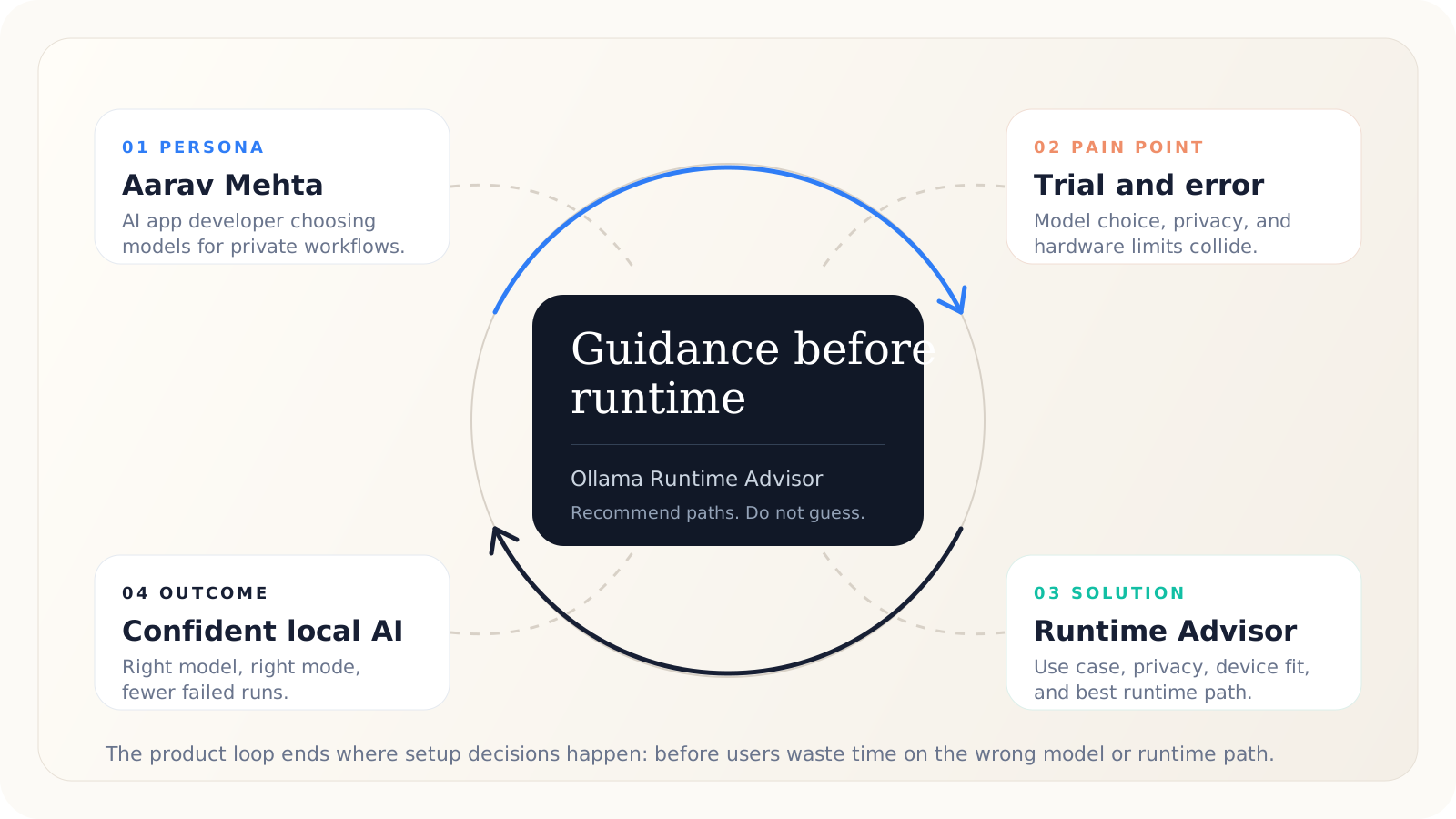
Ollama Runtime Advisor Guide users to local, optimized, or assisted execution based on goal, hardware, and privacy.
2.
Adaptive Local Model Router Automatically route tasks to the best local model available.
3.
Privacy-Safe Cloud Bridge Use assisted execution only when privacy rules allow it.
4.
Self-Optimizing Local Runtime Tune model selection and settings based on device performance.
Prioritize Moonshot Ideas
Framework used: Weighted Decision Matrix. Moonshot ideas have high uncertainty, so they are evaluated on strategic value, user impact, feasibility, risk control, and business value.
Moonshot Solution
User Impact
Strategic Fit
Feasibility
Risk Control
Business Value
Weighted Score
Ollama Runtime AdvisorGuide users to local, optimized, or assisted execution.
5
5
4
4
5
4.65 / 5
Adaptive Local Model RouterRoute tasks to the best local model automatically.
5
5
3
3
5
4.25 / 5
Privacy-Safe Cloud BridgeEscalate only when privacy rules allow it.
4
4
3
4
4
4.05 / 5
Self-Optimizing Local RuntimeTune runtime settings from device performance.
4
4
3
3
4
3.85 / 5
Finalized Idea
Ollama Runtime Advisor
Ollama Runtime Advisor directly solves the highest-priority pain point: users need a clear confidence signal before choosing a model and execution mode.
Solution Direction
Instead of making users choose a model first and discover limits later, Ollama would guide the setup decision upfront: what to run, where to run it, and why that path fits.
User Flow: Runtime Advisor Journey
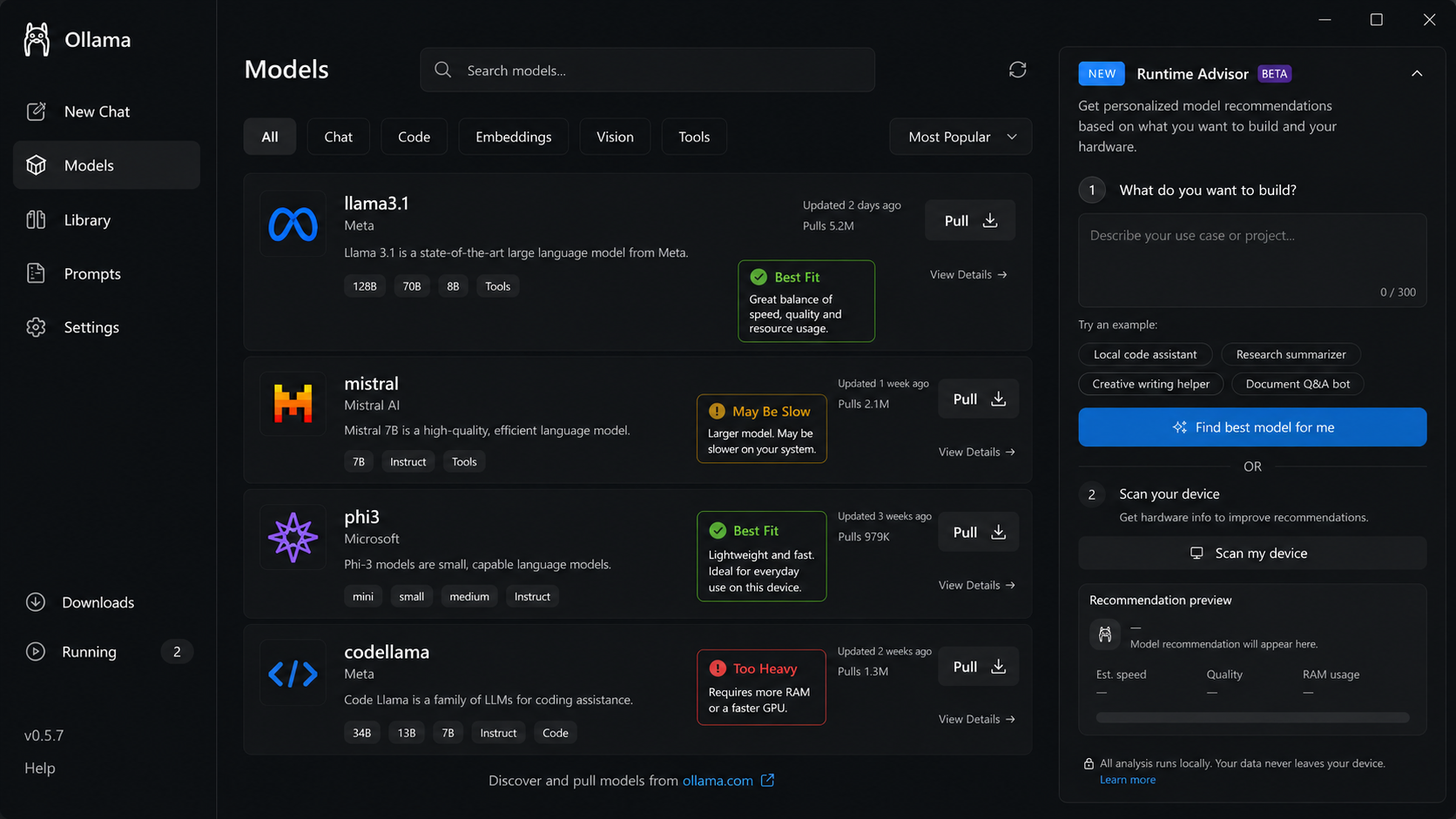
Start from model discovery
The user sees models, fit signals, and an entry point into guided setup.
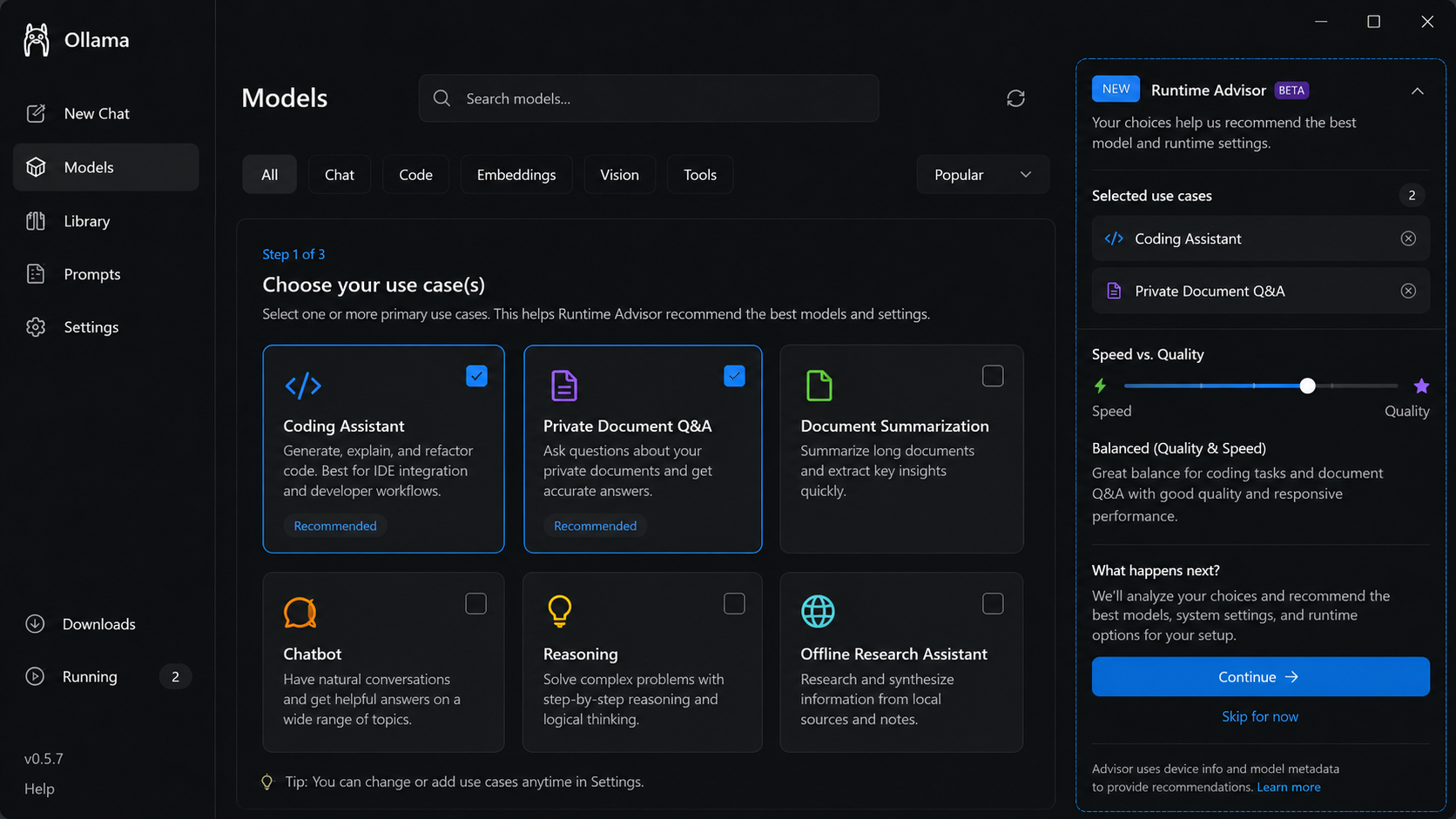
Choose the use case
Ollama asks what the user is trying to do before recommending runtime options.
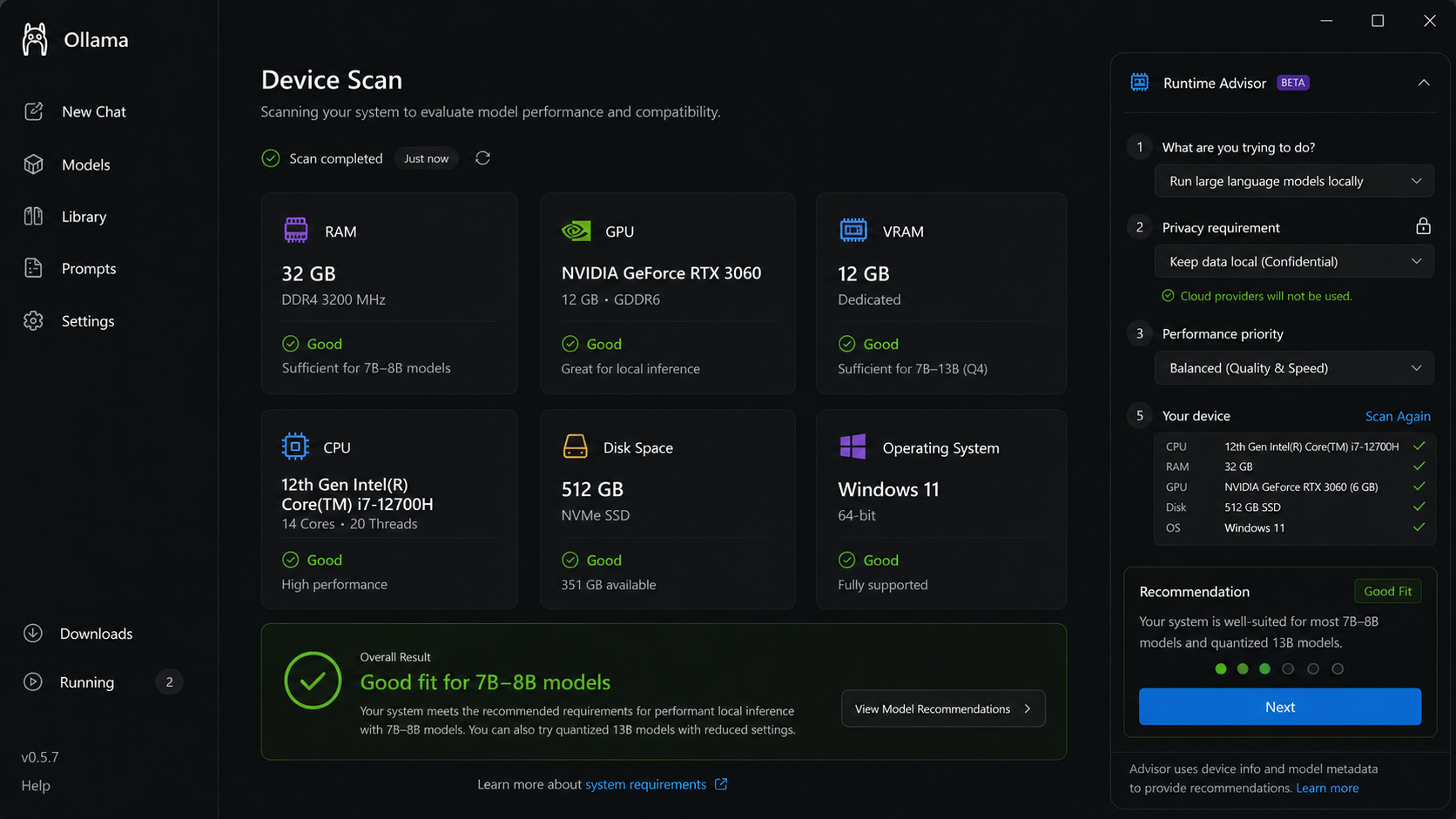
Scan device capability
Hardware, memory, GPU, and OS context are checked before a model is run.
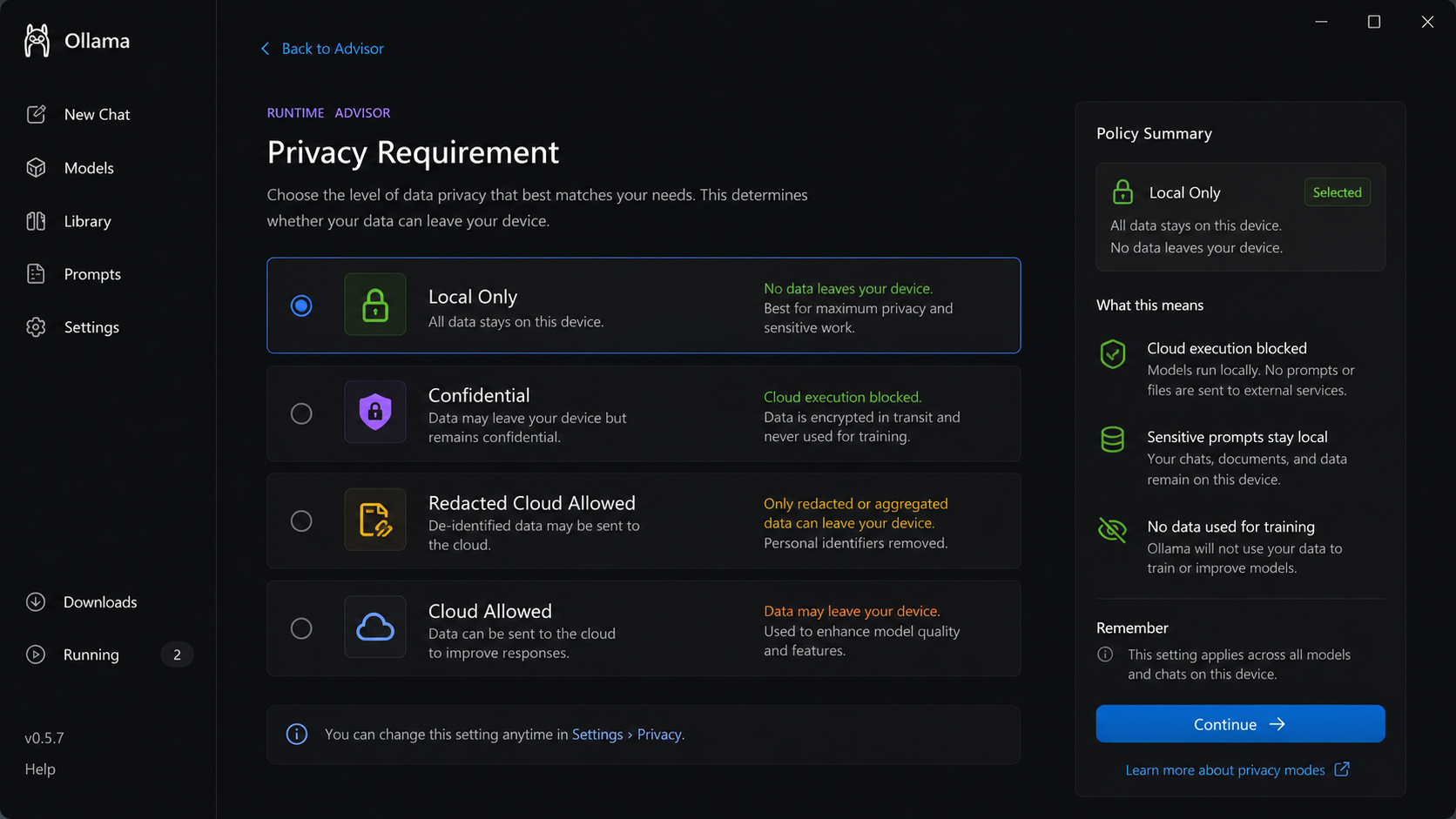
Set privacy requirement
The user chooses whether the workload must stay local or can be assisted.
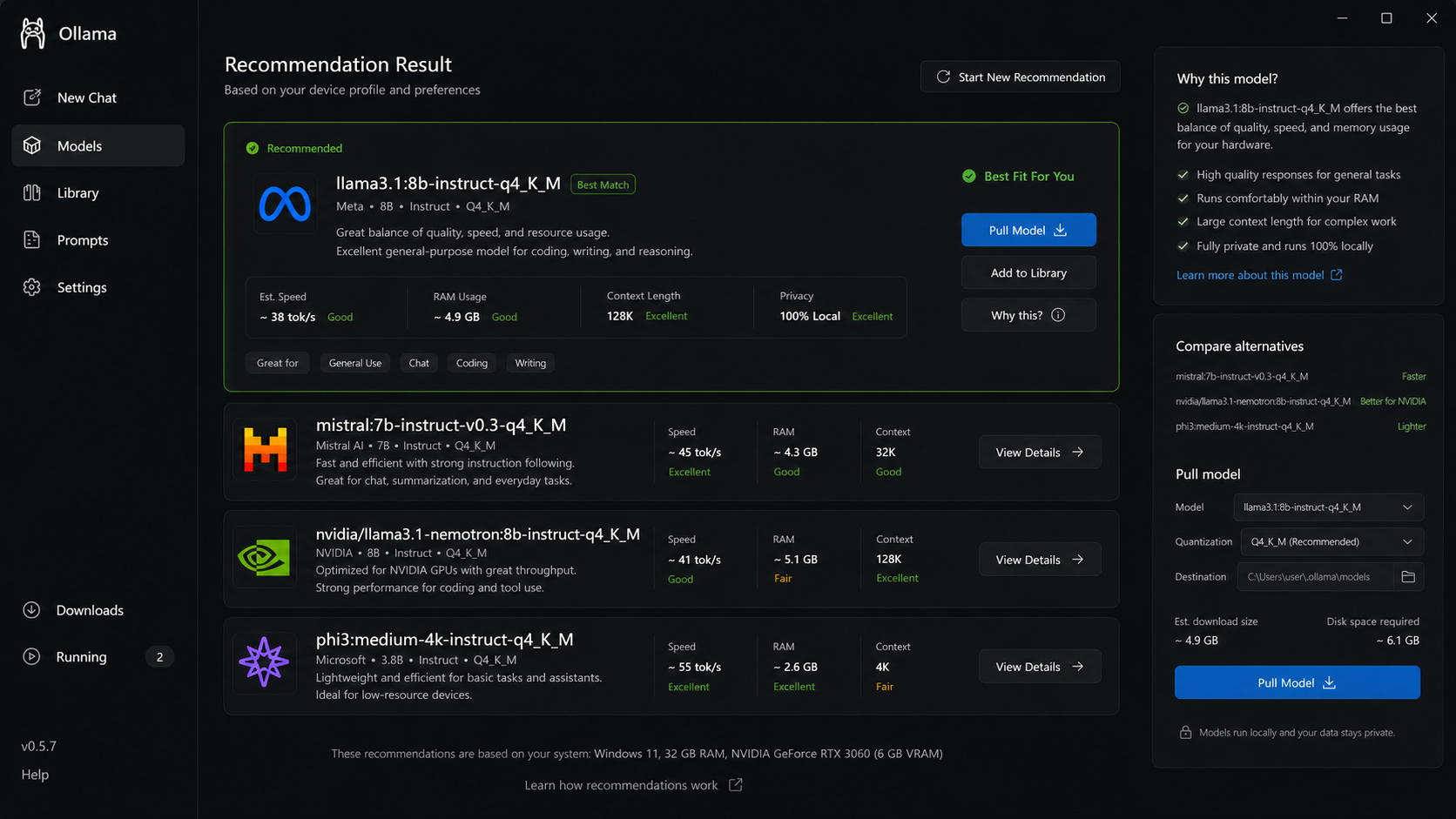
Recommend the best fit
The advisor ranks model choices with performance, privacy, and fit reasoning.
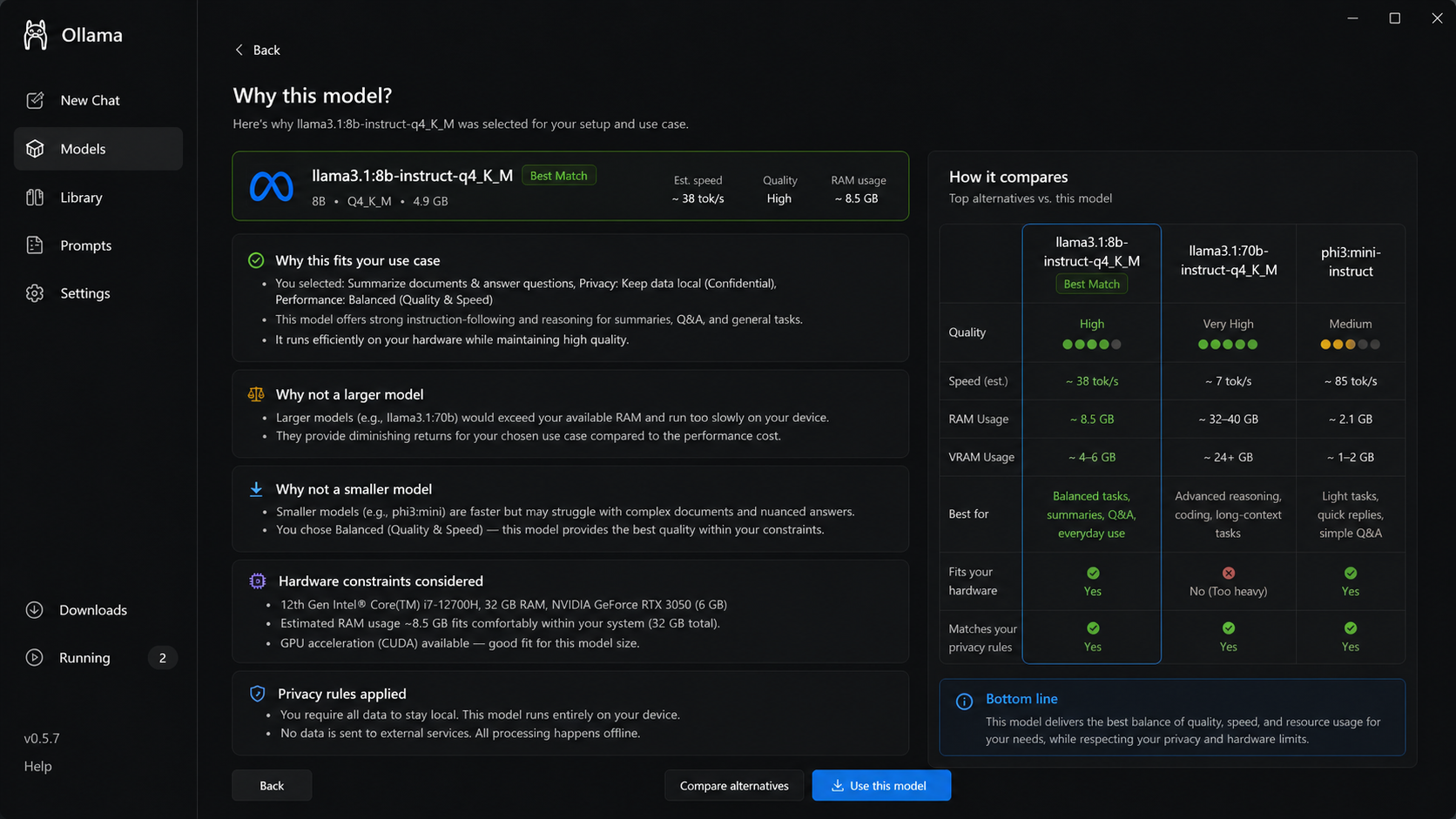
Explain why this model
The user can review the reasoning, tradeoffs, and comparison before moving ahead.
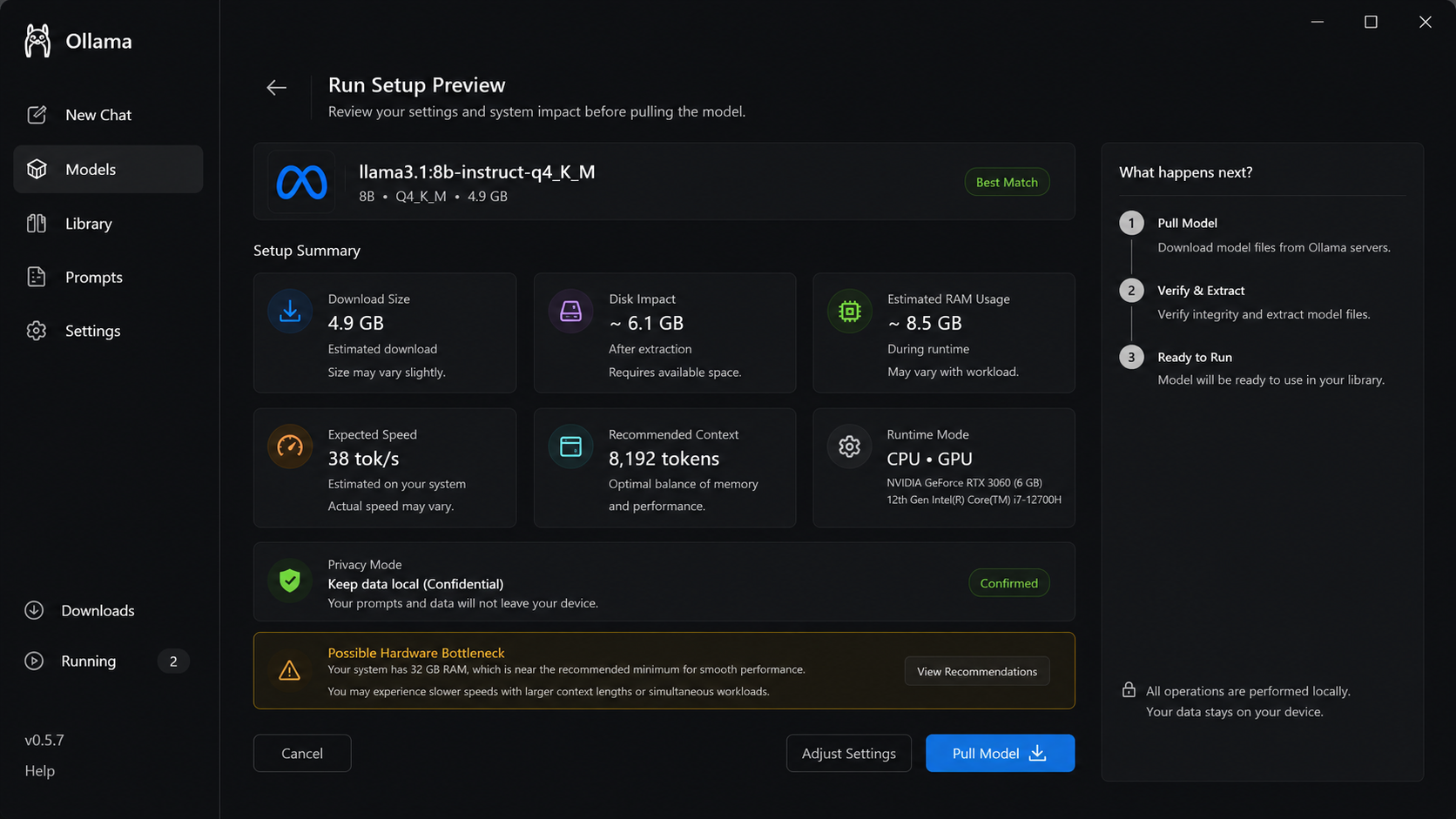
Preview run setup
Runtime mode, model size, memory use, and expected behavior are shown upfront.
Run with guidance
The model run includes live context, runtime health, and performance signals.
Close with a run summary
The user leaves with result quality, resource usage, and next-step recommendations.
The solution turns Ollama from a local model runner into a guided runtime decision partner.
01
Understand intent
Capture the user goal, privacy sensitivity, device limits, and expected output before a model is selected.
02
Surface fit
Show which models are a good fit, which may fail or run slowly, and what tradeoffs are driving the recommendation.
03
Recommend runtime
Recommend local, optimized local, or cloud-assisted execution while keeping the final decision with the user.
Input layer
User intent enters the system
Use case, privacy level, device profile, model preference, and performance expectations define the decision context.
Fit layer
Device and model are evaluated
Hardware capability, model size, memory needs, speed estimate, and local readiness are assessed before setup starts.
Runtime layer
Best path is recommended
The product recommends local, optimized local, or cloud-assisted execution with clear reasons and tradeoffs.
Decision layer
User stays in control
The user can accept, compare alternatives, adjust privacy requirements, or choose another model without losing context.
Outcome
Local AI starts with confidence
The system reduces failed runs, privacy uncertainty, and model-fit guessing before the first run.
MVP Scope
The first version focuses on the setup decision: choosing the right model and runtime path before the user wastes time on failed local runs.
Workflow shift
Move from download -> run -> fail/debug to intent -> device scan -> privacy choice -> guided runtime recommendation.
Product boundary
The MVP does not redesign Ollama completely. It adds a lightweight advisor layer inside the existing local model workflow.
MVP objective
Help users choose a model and execution mode based on use case, hardware fit, privacy requirement, and performance expectations.
In Scope
Purpose
Runtime Advisor Entry Point
Guided setup starts from model discovery and helps users avoid trial-and-error.
Use Case Selection
Captures coding, document Q&A, summarization, chatbot, reasoning, or research intent.
Device Scan
Checks RAM, GPU, VRAM, CPU, OS, and storage before recommending model size.
Privacy Requirement
Lets users choose local-only, confidential, redacted cloud, or cloud-assisted paths.
Model Fit Recommendation
Ranks models with speed, quality, RAM usage, and privacy tradeoffs.
Run Setup Preview
Shows expected resource use and lets users adjust before running.
Out of Scope
Replacing expert model evaluation
Guaranteed local performance claims
Fully autonomous cloud routing
Enterprise admin governance dashboard
Custom model training
Automatic data upload without consent
Success Metrics
The metrics focus on whether Ollama users reach the right runtime decision with fewer failed attempts and more confidence.
North Star Metric
Successful Guided Run Rate
Percentage of advisor-led setups where the user starts a recommended model successfully without switching models or debugging hardware fit.
Activation Metrics
Risks, Guardrails & Constraints
Ollama should make local AI easier to start, but it should not hide hardware limits, privacy tradeoffs, or model uncertainty.
Product principle
Guide the runtime decision without pretending the system can guarantee perfect model fit.
Hardware Fit Risk
Runtime
The advisor may recommend a model that runs slowly or fails on the user device.
Guardrails
Show device scan inputs, confidence band, resource estimate, and fallback model.
Threshold Metrics
Failed guided run below 10%; fallback recommendation shown above 95% for risky models.
Privacy Misclassification
Privacy
A workload may be routed to a mode that does not match the user's confidentiality needs.
Guardrails
Make local-only the safest default for confidential work and require explicit consent for assisted paths.
Threshold Metrics
Cloud-assisted without explicit consent 0%; privacy mode review above 90%.
False Confidence Risk
Trust
Users may read a recommendation as guaranteed performance or quality.
Guardrails
Use fit labels, tradeoff explanations, and limits instead of absolute claims.
Threshold Metrics
Users believing recommendation is guaranteed below 10%.
Workflow Friction
Flow
Too many setup questions may slow expert users who already know what they want.
Guardrails
Keep advisor optional, allow direct pull/run, and let users skip to model comparison.