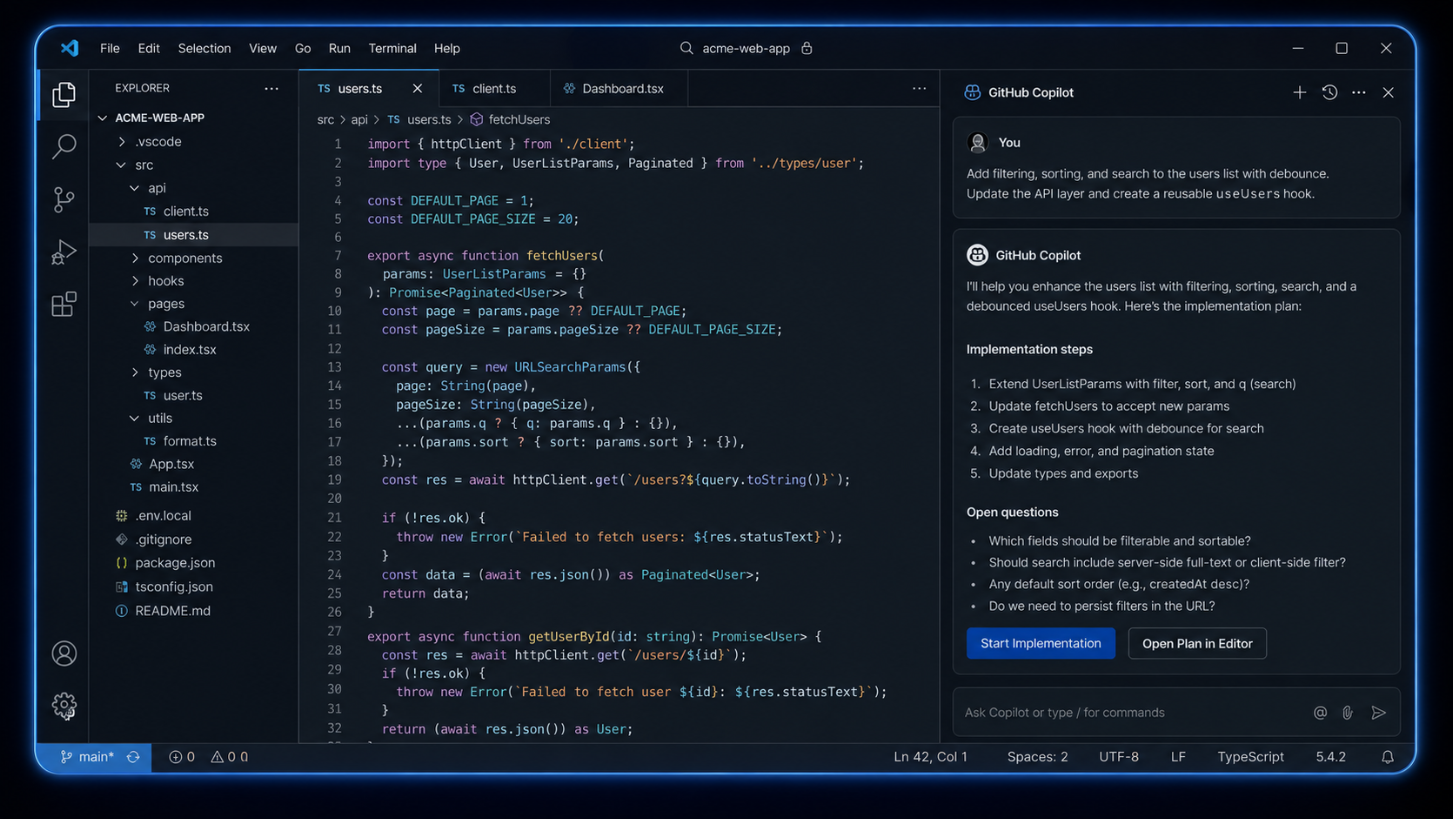
GitHub Copilot is an AI coding assistant built into the developer workflow. It helps write code, complete functions, explain logic, and suggest implementation paths directly inside the editor.
Developer Tools · Generative AI · Software Engineering Productivity
Product Stage
Mature enterprise-grade AI product, already embedded across developer workflows including IDEs, GitHub, CLI, mobile, and agentic development surfaces.
Business Context
GitHub Copilot has moved beyond simple autocomplete. It now supports code suggestions, chat assistance, code explanation, test generation, pull request support, code review, CLI assistance, and agent-driven software development workflows.
The Vision
Product Users
Our users are technically advanced and experienced, working inside complex engineering systems where speed matters, but code quality, security, and confidence matter more.
Arjun Mehta
Senior Backend Engineer
Profession: Senior Backend Engineer
Occupation: Builds and maintains backend services, APIs, database logic, and production systems for a SaaS company.
Experience: 7+ years in software engineering, strong in system design, code review, security practices, and production debugging.
Work Context: Works on high-impact backend services where small bugs can affect payments, authentication, or customer data. Uses Copilot to speed up boilerplate, API handlers, tests, and refactoring tasks.
Behavior: Accepts simple Copilot suggestions quickly, but manually reviews complex suggestions line by line before committing them.
Goal: Ship reliable code faster without compromising architecture, security, or maintainability.
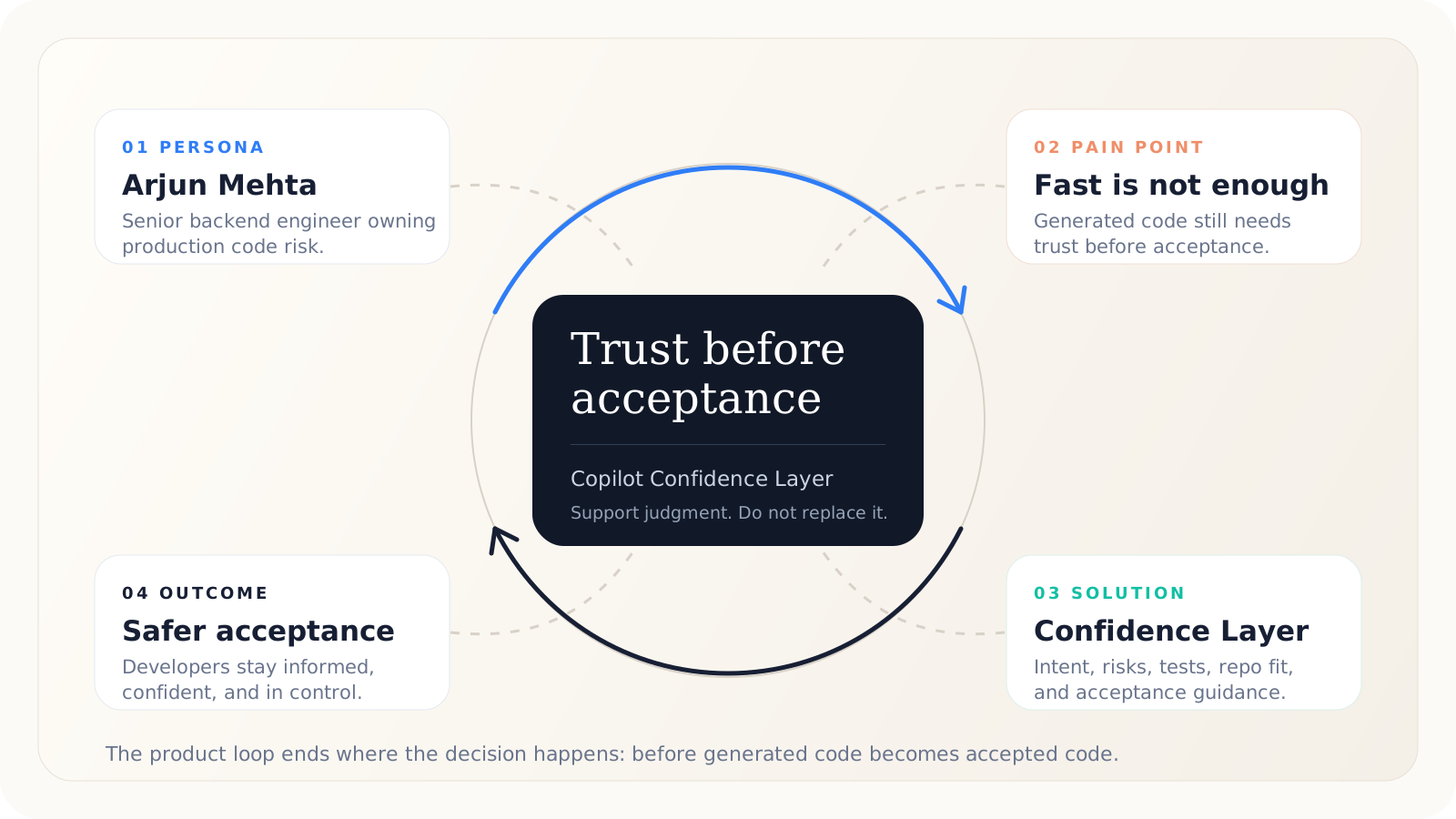
Pain Point: Copilot helps him move faster, but he does not always know whether generated code is safe enough to trust.
Priya Shah
Junior Full-Stack Developer
Profession: Junior Full-Stack Developer
Occupation: Works on frontend components, API integrations, bug fixes, and small product features.
Experience: 1.5 years in software development, still learning architecture, testing depth, and code review standards.
Work Context: Uses Copilot heavily to understand unfamiliar code, generate implementation drafts, and move faster across frontend and backend tasks.
Behavior: Often accepts Copilot suggestions when they look correct, but struggles to judge hidden risks or incomplete logic.
Goal: Learn faster, complete tasks independently, and build confidence in production code.
Pain Point: Struggles to judge whether AI-generated code is safe to use without asking a senior engineer.
Miguel Torres
Application Security Engineer
Profession: Application Security Engineer
Occupation: Reviews code for vulnerabilities, insecure patterns, authentication issues, dependency risks, and compliance concerns.
Experience: 6+ years in cybersecurity and application security, experienced with secure coding standards, threat modeling, and vulnerability review.
Work Context: Supports multiple engineering teams and reviews pull requests before release. Concerned AI-generated code may introduce insecure defaults or weak validation.
Behavior: Does not reject AI coding tools, but wants developers to validate security before code reaches review.
Goal: Reduce security risk without becoming a bottleneck for engineering teams.
Pain Point: Copilot-generated code may look functional but still contain subtle security issues.
Neha Rao
Engineering Manager
Profession: Engineering Manager
Occupation: Manages backend, frontend, and full-stack developers responsible for product delivery.
Experience: 10+ years in engineering, including 4 years managing teams, with strong focus on velocity, quality, and delivery predictability.
Work Context: Encourages Copilot usage to increase productivity, but owns code quality, incident reduction, and engineering standards.
Behavior: Tracks delivery speed, code review load, production bugs, and developer adoption of AI tools.
Goal: Increase engineering velocity while maintaining code quality, security, and team learning.
Pain Point: Blind acceptance of AI-generated code may increase review burden, bugs, inconsistent patterns, or production incidents.
Finalized User Persona
Arjun Mehta is the primary persona.
Arjun is the best starting persona because he sits at the exact decision point where GitHub Copilot's value and risk meet. He uses Copilot to move faster, but he is also responsible for accepting, modifying, or rejecting AI-generated code before it becomes part of the real codebase.
Frequent Copilot usage
He uses Copilot for API logic, backend services, refactoring, tests, and repetitive implementation work.
Owns the acceptance decision
He is responsible for the moment where AI-generated code becomes real production-facing code.
Even with strong technical judgment, verifying correctness, security, edge cases, architecture fit, and maintainability takes time.
Balances speed with quality
He cannot sacrifice production stability just to gain AI velocity.
Solving for him scales
Helping Arjun also supports junior developers, security engineers, and engineering managers.
User Journey
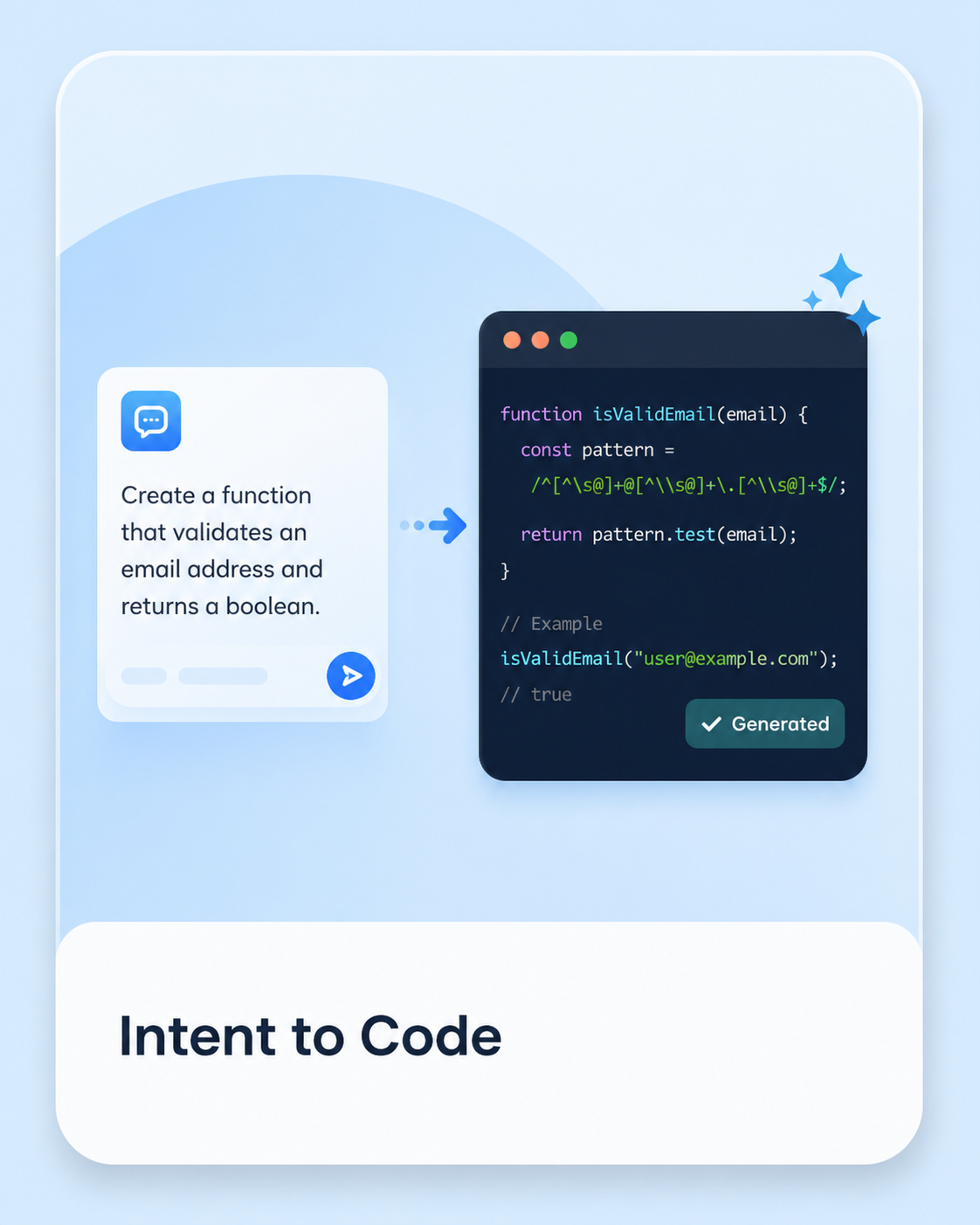
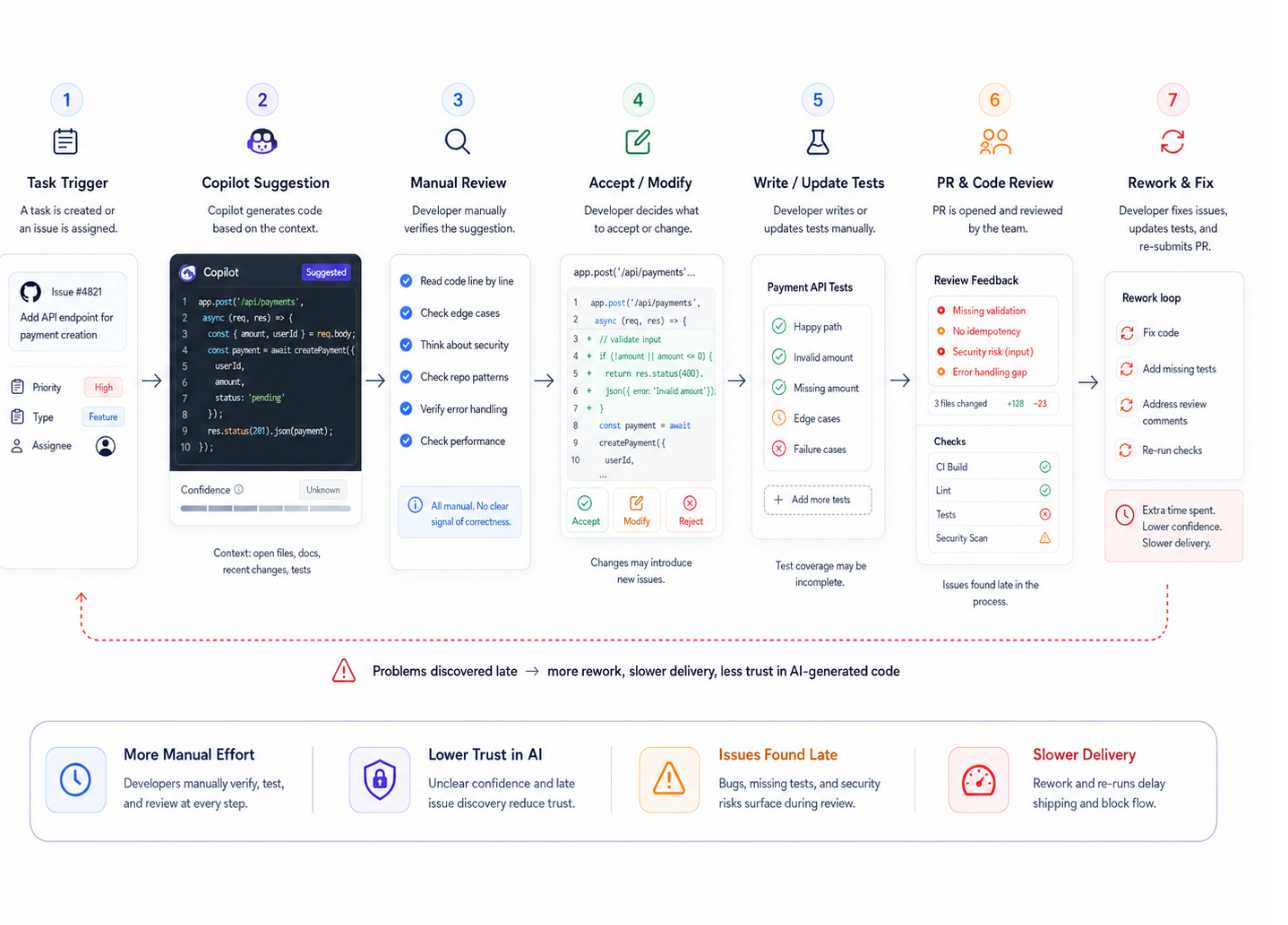
The current Copilot journey moves quickly from intent to generated code, but confidence drops at the moment of acceptance. The real friction is not writing code, it is deciding whether the generated code is safe enough to own.
Start with coding intent
Action: Arjun begins a backend task inside the IDE with a clear implementation goal.
Thinking: He wants to move fast without leaving his existing workflow.
Pain Point: The intent is clear, but repository-specific constraints and risk are still mostly in his head.
Opportunity: Capture intent, surrounding code context, and acceptance criteria early.
01
02
Copilot generates code
Action: Copilot returns a plausible function, refactor, test, or implementation path.
Thinking: The code looks useful and saves time immediately.
Pain Point: The output can look polished even when assumptions, edge cases, or security gaps are hidden.
Opportunity: Pair generation with an explanation of assumptions and what changed.
Scan for fit
Action: Arjun reads the output quickly and checks whether it matches the task direction.
Thinking: It may be right, but he needs proof before owning it.
Pain Point: Correctness, maintainability, security, and architecture fit are not visible at a glance.
Opportunity: Surface confidence signals across logic, tests, security, and repository fit.
03
04
Verify manually
Action: He checks edge cases, failure handling, tests, security impact, and codebase conventions.
Thinking: This is where the speed benefit starts leaking away.
Pain Point: Verification depends on manual effort, memory, and context switching.
Opportunity: Give a guided review checklist inside the same coding flow.
Accept, edit, or reject
Action: Arjun decides whether to accept the code, modify it heavily, ask Copilot again, or discard it.
Thinking: Accepting code means inheriting its risks and maintenance cost.
Pain Point: The final decision still feels fragile when confidence is low.
Opportunity: Turn acceptance into an informed decision, not a leap of faith.
05
Understanding the Trust GapIt was deciding whether the code was safe to accept.
01
Hard to understand code quickly
Developers can read the generated output, but they do not always understand the reasoning, tradeoffs, or assumptions behind it.
Creates
Extra mental effort before acceptance.
02
Hard to trust generated code
Even when the code looks correct, developers worry about hidden bugs, security issues, edge cases, and performance problems.
Creates
Hesitation at the exact moment Copilot should feel useful.
03
Hard to know what is missing
Generated code may omit tests, validation, error handling, and business-rule coverage that deeper review would normally catch.
Creates
Uncertainty around completeness.
04
Manual validation breaks flow
The developer has to stop writing and switch into verification mode, weakening the productivity benefit Copilot initially created.
Creates
A workflow break between generation and acceptance.
05
Acceptance lacks confidence
Copilot provides an answer, but not always a structured way to judge whether that answer is ready for real use.
Creates
A leap of faith instead of an informed decision.
Prioritization of Pain Points
Each pain point was scored by user impact, frequency in the workflow, and product leverage. The goal was to identify the friction that matters most at the moment Copilot output becomes real code.
Pain Point
User Impact
Frequency
Product Leverage
Total
Hard to understand code quicklyReasoning and assumptions are unclear.
4
4
4
12
Hard to trust generated codeHidden bugs, security issues, and edge cases create hesitation.
5
5
5
15
Hard to know what is missingTests, validation, and business rules may be omitted.
4
4
5
13
Manual validation breaks flowDevelopers leave creation mode and switch into review mode.
4
5
4
13
Acceptance lacks confidenceThere is no clear signal that code is ready for real use.
5
4
5
14
Prioritized Pain Point
Developers hesitate to trust AI-generated code because Copilot does not provide enough confidence signals before acceptance.
Solution Ideas
Solutions are divided into OK, Best, and Moonshot categories. OK solutions are safe and expected. Best solutions balance feasibility and impact. Moonshot solutions can redefine trusted AI-assisted development.
01
OK Solutions
1.
Code Explanation Panel Copilot adds a short explanation beside major code suggestions: what the code does, affected module, why the approach was suggested, and assumptions made.
2.
Test Suggestion Prompt After generating code, Copilot asks whether the user wants relevant unit tests and edge-case tests.
3.
Security Reminder Badge For auth, payments, database queries, permissions, and input handling, Copilot shows a security-sensitive warning badge.
4.
Accept / Edit / Explain Actions Each suggestion includes quick actions: Accept, Edit, Explain, Generate Tests.
02
Best Solutions
1.
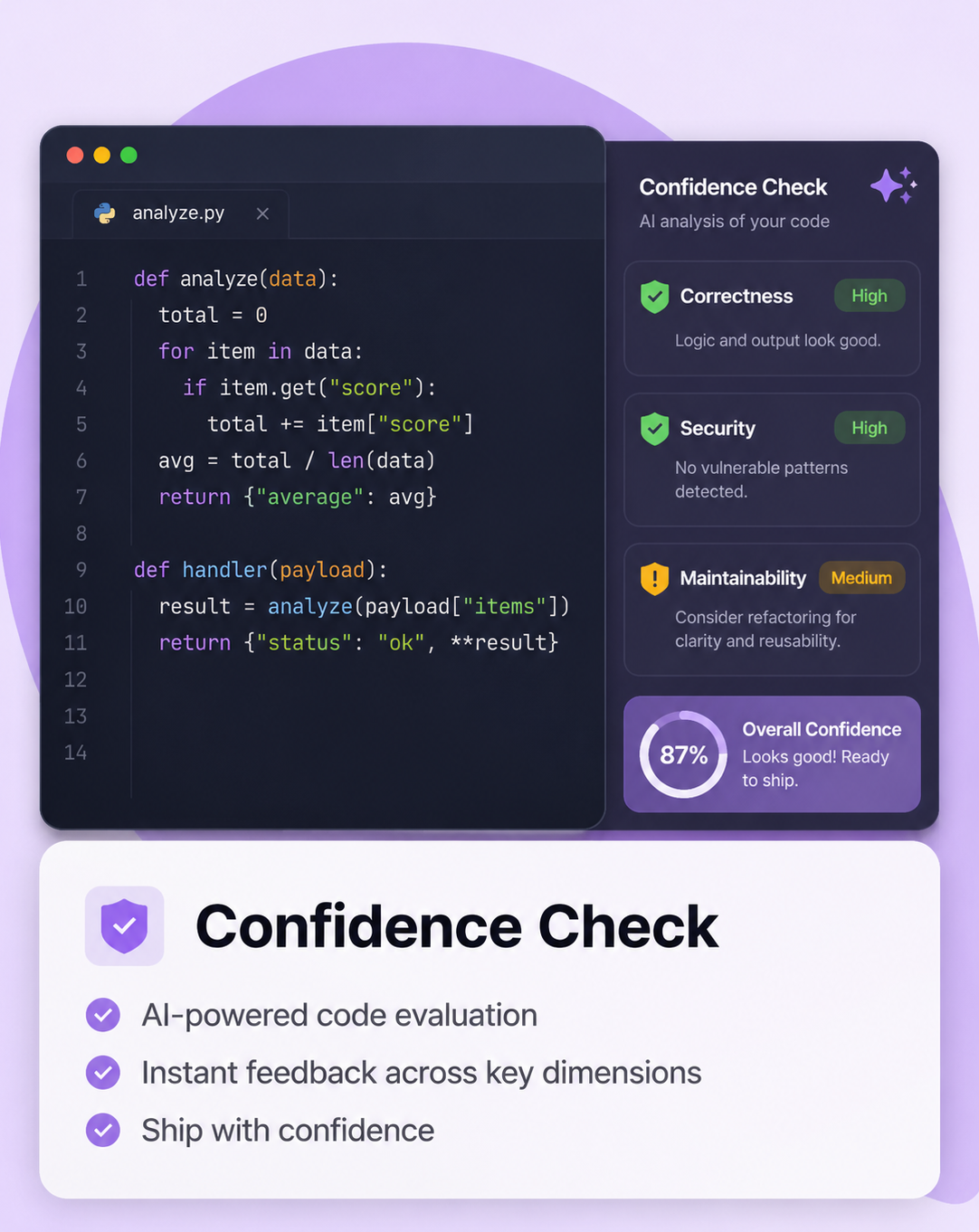
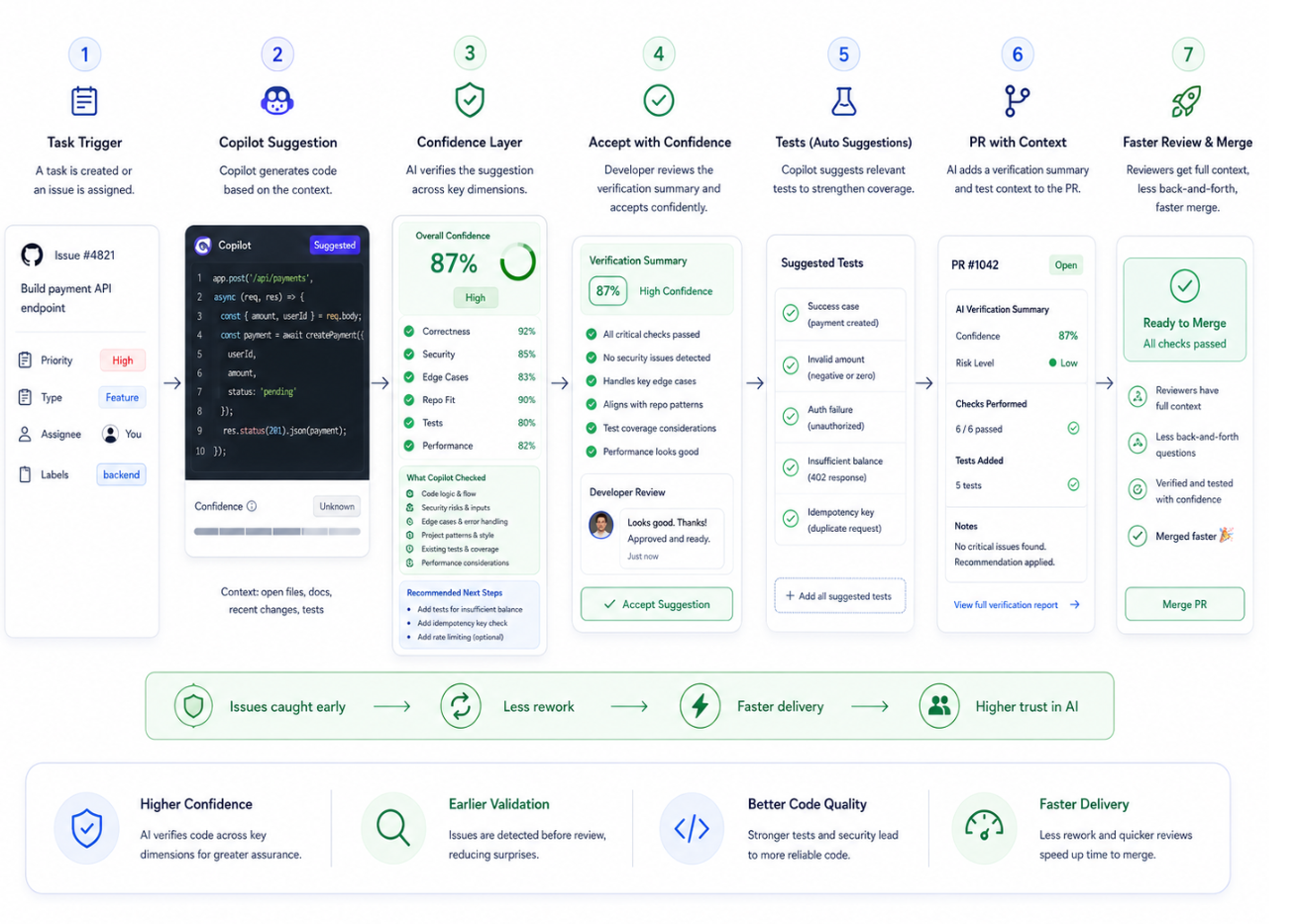
Copilot Confidence Score Each major suggestion gets a confidence signal based on correctness, repo pattern match, security risk, edge-case coverage, tests, and dependency impact.
2.
Repository Fit Check Copilot checks whether generated code matches naming conventions, folder structure, helpers, service patterns, error handling, and query patterns.
3.
AI Code Review Before Acceptance Before accepting a complex suggestion, Copilot runs a lightweight review inside the IDE for bugs, validations, security, performance, tests, and assumptions.
4.
PR Verification Summary When Copilot-assisted code enters a PR, GitHub adds a summary of AI-generated portions, manual edits, tests added, risks checked, and unresolved concerns.
03
Moonshot Solutions
1.
Copilot Confidence Layer A full trust and verification layer before acceptance: what code does, why suggested, confidence signal, security risks, missing tests, edge cases, repo fit, and recommended fixes.
2.
Autonomous AI Verification Agent A background agent scans generated code, runs tests, checks linting, compares repo patterns, detects risky logic, and recommends safer alternatives.
3.
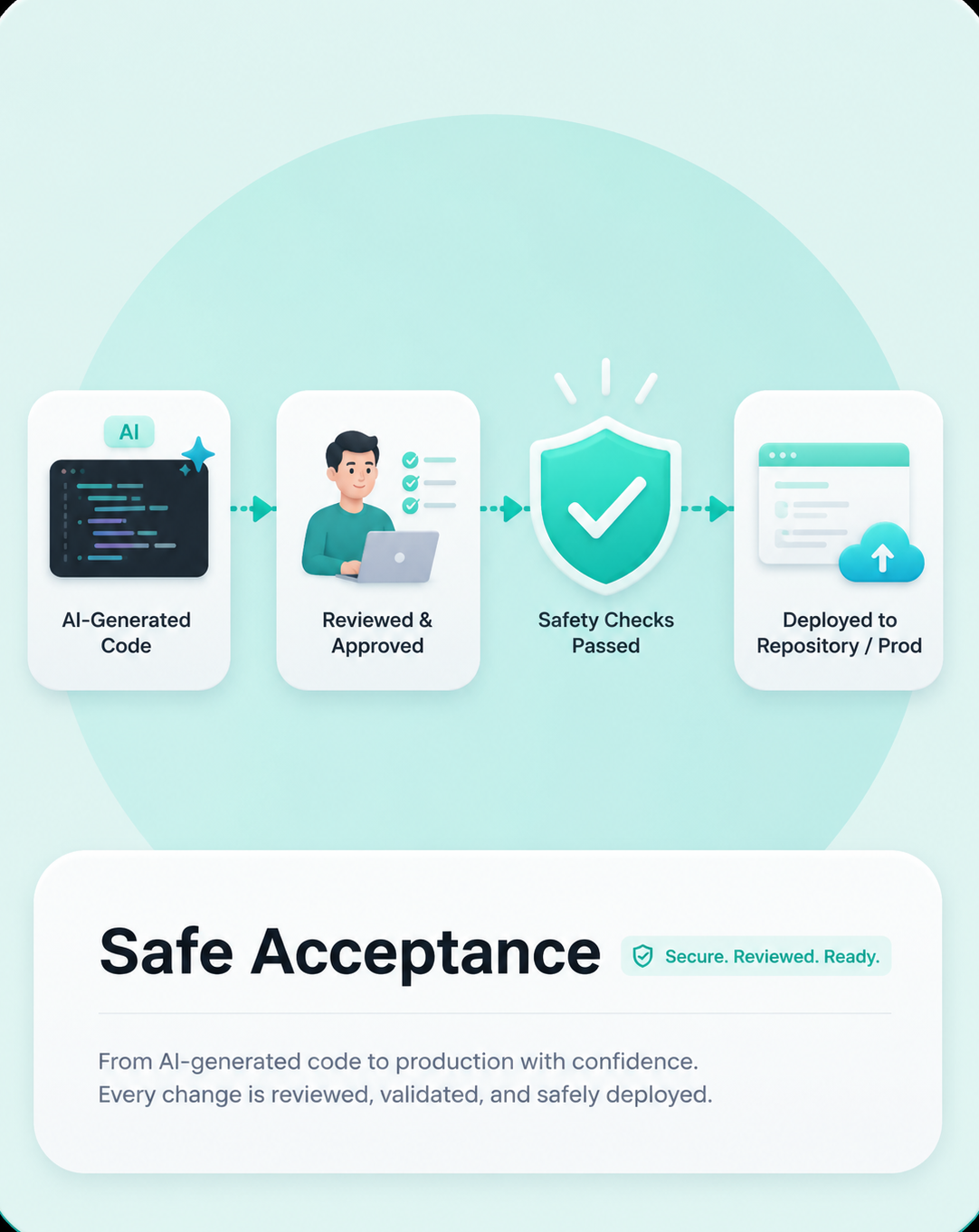
Safe Accept Mode Production-sensitive code gets safer acceptance options: Accept as Draft, Accept after Tests, Accept after Security Check, Accept with Review Note.
4.
Team-Level Copilot Trust Dashboard Managers and security teams see acceptance rate, rejected suggestions, bug rate, security warnings, test coverage impact, review impact, and developer trust trend.
Prioritize Moonshot Ideas
Framework used: Weighted Decision Matrix. Moonshot ideas have high uncertainty, so they are evaluated on strategic value, user impact, feasibility, risk control, and business value.
Moonshot Solution
User Impact
Strategic Fit
Feasibility
Risk Control
Business Value
Weighted Score
Copilot Confidence LayerFull trust and verification layer before acceptance.
5
5
4
4
5
4.65 / 5
Autonomous AI Verification AgentBackground verification agent for generated code.
5
5
3
3
5
4.25 / 5
Safe Accept ModeSafer acceptance options for production-sensitive code.
4
4
4
5
4
4.15 / 5
Team-Level Copilot Trust DashboardEnterprise trust dashboard for teams and security leaders.
4
4
3
4
5
3.90 / 5
Finalized Idea
Copilot Confidence Layer
Final prioritized moonshot: Copilot Confidence Layer. It directly solves the highest-priority pain point: developers need a clear confidence signal before accepting AI-generated code. It also fits Copilot's strategic direction from AI that writes code to AI that helps developers ship trusted code.
Solution Direction
Instead of only returning code, Copilot would also help developers evaluate that code through structured verification support.
Workflow Change: Before vs After
Before
Current flow: confidence comes too late
After
New flow: confidence before acceptance
The solution turns Copilot from a suggestion engine into a more trustworthy implementation partner.
01
Explain intent
Summarize what the generated code is doing, why it is structured that way, and which assumptions it made from context.
02
Surface risk
Highlight likely concerns such as missing validation, security issues, edge cases, dependency assumptions, or possible performance risks.
03
Recommend verification
Suggest what the developer should review next: tests to add, scenarios to validate, repository conventions to check, or business logic gaps to inspect.
Input layer
Context enters the system
Developer prompt, task intent, current file context, repository patterns, conventions, and related code references.
Generation layer
Code is drafted
Copilot generates the initial suggestion and adapts the output to local project structure and coding conventions.
Confidence layer
Trust is explained
The system explains intent, identifies assumptions, flags issues, and suggests recommended tests or validation steps.
Decision layer
Developer stays in control
The developer can accept, edit, compare alternatives, request clarification, or ask for tests and validation help.
Outcome
Judgment gets support
The system does not remove human judgment. It gives better information at the exact moment judgment matters most.
MVP Scope
The first version focuses tightly on the acceptance decision, where the highest friction currently exists.
Workflow shift
The MVP focuses on changing the Copilot workflow from generate -> manually verify -> accept to generate -> verify early -> accept with confidence.
Product boundary
The goal is not to redesign GitHub Copilot completely. The goal is to add a lightweight verification step inside the existing developer workflow so developers can trust AI-generated code before accepting it.
MVP objective
Help developers verify Copilot-generated code across correctness, security, test coverage, and repository fit before accepting it into the codebase.
In Scope
Purpose
Confidence Check Before Acceptance
Runs on multi-line or function-level suggestions and evaluates correctness risk, security risk, missing edge cases, missing tests, repository pattern fit, error-handling gaps, and performance-sensitive logic.
Verification Summary
Explains what code does, why suggested, assumptions, risks checked, unresolved risks, and test recommendations.
Risk Labels
Low Risk, Medium Risk, and High Risk labels help developers slow down when needed. High-risk areas include auth, payments, permissions, security, user data, and production-critical logic.
Suggested Test Cases
Recommends happy path, invalid input, missing input, edge cases, failure cases, auth or permission cases, and performance-sensitive cases.
Accept with Confidence Action
Developer can accept, modify, reject, view summary, or generate tests without leaving the flow.
PR Verification Context
Pull requests include lightweight context: Copilot-assisted code, confidence level, tests suggested or added, risks checked, and unresolved concerns.
Out of Scope
Fully autonomous code merging
Automatic production deployment
Enterprise-level trust dashboard
Full security audit replacement
Guaranteed bug-free code claims
Full architectural refactoring
Organization-wide AI governance controls
Custom model training per company
Replacing human code review
Success Metrics
The values below are portfolio assumptions for a 90-day MVP pilot, not GitHub internal data.
North Star Metric
Verified Acceptance Rate
Percentage of Copilot-generated code suggestions accepted after the developer reviews the confidence check, verification summary, and suggested tests.
Formula
Accepted suggestions after confidence check / Total suggestions where confidence check was shown.
MVP target
30-40% verified acceptance within the pilot.
Strong outcome
45%+ within 90 days. Baseline is 0% because this workflow does not exist yet.
Activation Metrics
Activation metrics show whether developers are seeing, opening, and trying the confidence layer inside the Copilot workflow.
Risks, Guardrails & Constraints
Copilot should help developers make better decisions, but it should not imply that AI-generated code is guaranteed safe, correct, or production-ready.
Product principle
The system should increase developer confidence without creating false confidence.
AI Reliability Risk
Reliability
Confidence Layer may incorrectly evaluate generated code and mark risky code as safe.
Guardrails
Never say 100% safe or guaranteed correct. Use confidence bands. Show what was checked and not checked. Display unresolved risks.
Threshold Metrics
False High Confidence Rate <5%; risky code marked High Confidence <3%; high-risk code without review warning 0%.
Security Risk
Security
Copilot may miss weak validation, insecure auth, unsafe query handling, data leakage, or secret exposure.